Problem Statement Analysis
I started the challenge by analyzing the different types of household activities such as Planning Meals, Cooking Meals, Cleaning the house, Paying electricity bills, Grocery Shopping etc. The household activities and various tasks were then classified broadly under two categories "Menu Planning" and "Task or to-do lists". I imagined that Menu Planning is a separate problem and Cooking the Meal was one of the tasks attached to Menu Planning. The two categories were then further studied to identify individual characteristics.
Menu Planning
The menu planning activity was further broken down to understand the various elements that are involved in the activity. The following characteristics were taken into consideration.
| Recipes/Food Items | A menu is comprised of 'Recipes' (Western Omelette, Panini), which can be entered manually or imported from the Internet and 'Food Items' (Milk, Orange Juice, Eggs), which comprises of daily food items consumed by the family. |
| Nutritional Value/ Calories | More often a family plan their meals based on the nutrition and calories consumed in a day/week/month. The Menu planning activity can support the initiative of keeping healthy by providing calories for each item planned on the Menu. |
| Pantry | A very effective way of planning the Menu is knowing what is available in the Pantry. This may involve either automatic update to the Pantry after the grocery shopping by tying a grocery store bill to the application or manually entering the data. Knowing the state of the Pantry can also help is automatically creating Grocery Shopping Lists. |
| Chef/No. of People | It is important to know "how many people are eating?" a particular meal and "who is cooking?". This is much like assigning someone to be the chef for the meal who knows how much food needs to be cooked. Say by default, every member of the family is eating dinner, but maybe someday one of the member is eating out with his/her friends. So, it would be useful this information before hand. |
Task/ To-do Lists
I studied various online/ mobile applications to understand the nature of to-do lists. In a collaborative environment such as the family, it is important to know who is doing what, which I thought was no less than project planning. The various characteristics of a to-do list were considered while designing the application.
| Task, Due Date, Occurrence | The common elements of a task involves knowing when the task is due and what needs to be done. Often, Tasks are recurrent in nature, such as "Grocery Shopping every Sunday." |
| Assignee | In a collaborative space, the tasks gets assigned or are picked up by individual members of the company. It is similar to a project management and it helps knowing "What you are doing?" and "What are other things to be done?" |
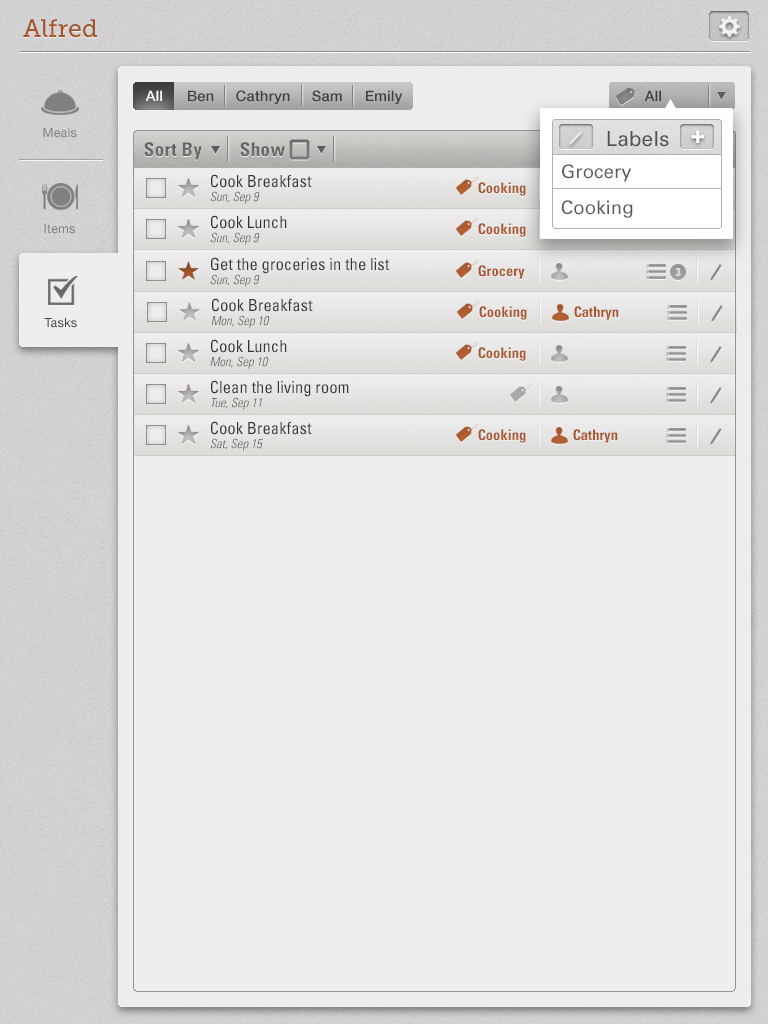
| Labels | Tasks can be classified under categories such tasks related to "Cleaning" the house, "Grocery Shopping/Shopping". |
| Notifications | The notifications are reminders of tasks that are "due today" or "overdue". This can be done through emails or notification icons in the Application. |
| Sub Tasks/Lists | More often, a task has associated subtasks, such as "Cleaning the house" could have subtasks "Cleaning the Garage, Kitchen". The tasks may also be associated to lists. For example, a task "Grocery Shopping" may have a Grocery list attached to the task. |
Device Support
After identifying the various application features and key components, I decided the kind of device that would be most suitable for such an application. Since, the nature of the work mostly involves staying close to the kitchen while cooking, or being on the move while grocery shopping, I thought the application would be best suited for Tablet Devices such as iPads and Mobile Phones. Tablets can also stuck to Refrigerators, which gives an easy access to various information and alternatively can be used for watching videos of various cooking tutorials.
Due to time limitations, I chose to design the application for Tablets, using iPads as an example.
Quick Product Analysis
Once the device type and key components of the application was identified, I quickly conducted an analysis of popular applications for "Meal Planing" and "Task Manager". The applications considered were both online tools and iPad applications.
Task Manager
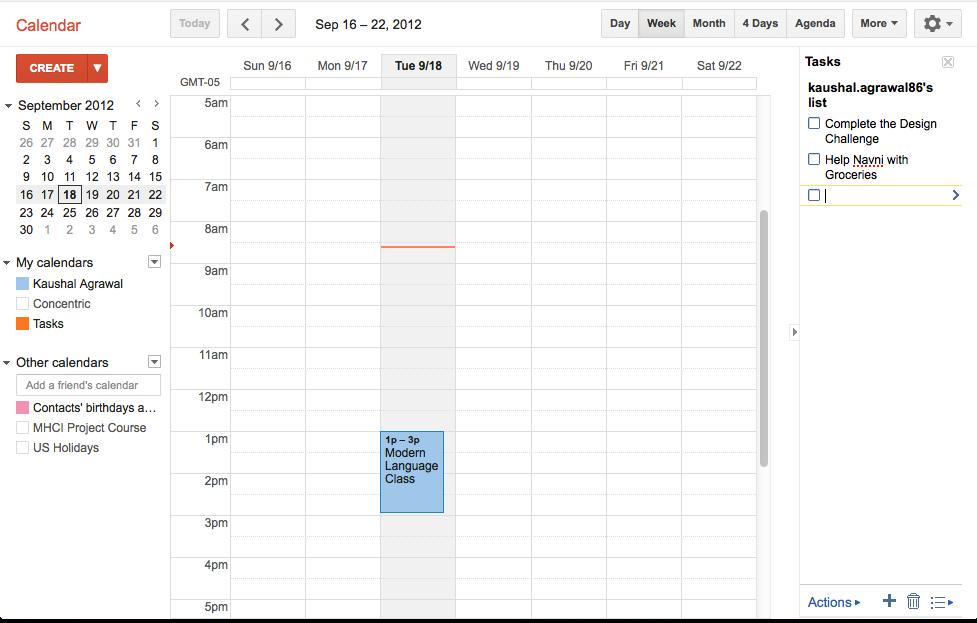
Google Calendar
|
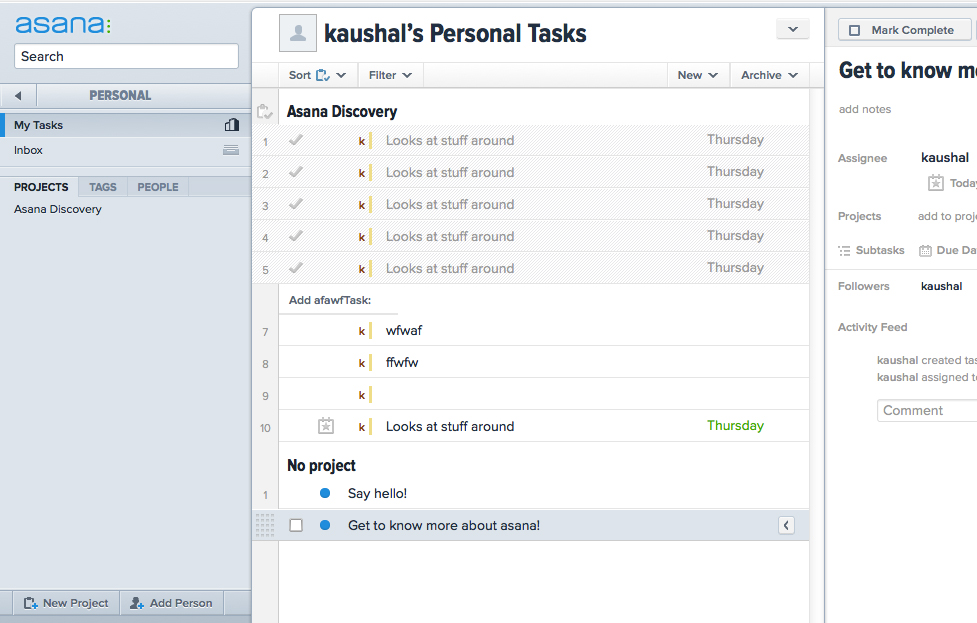
Asana
|
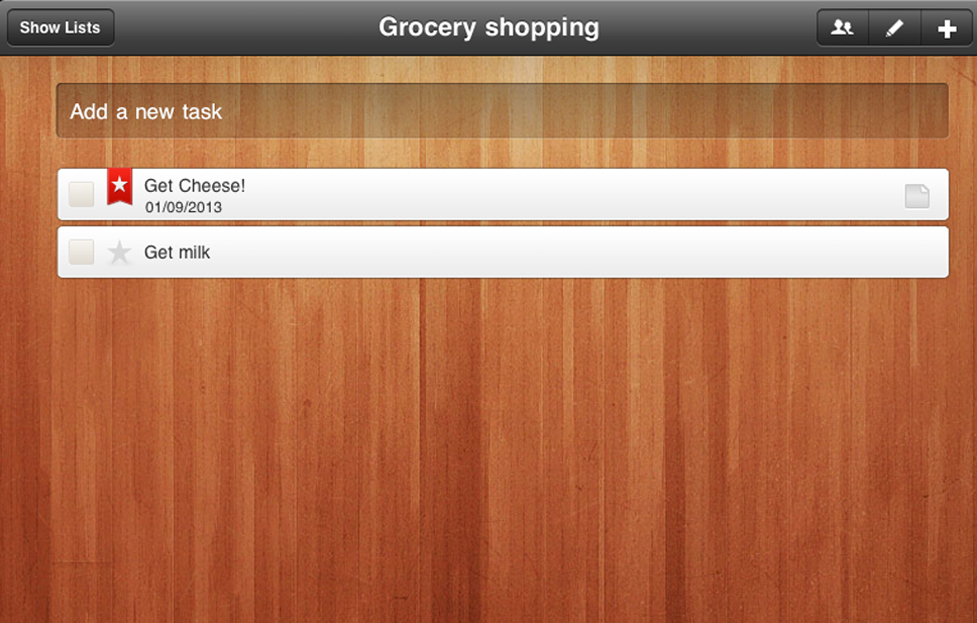
Wunderlist
|
Meal Planning
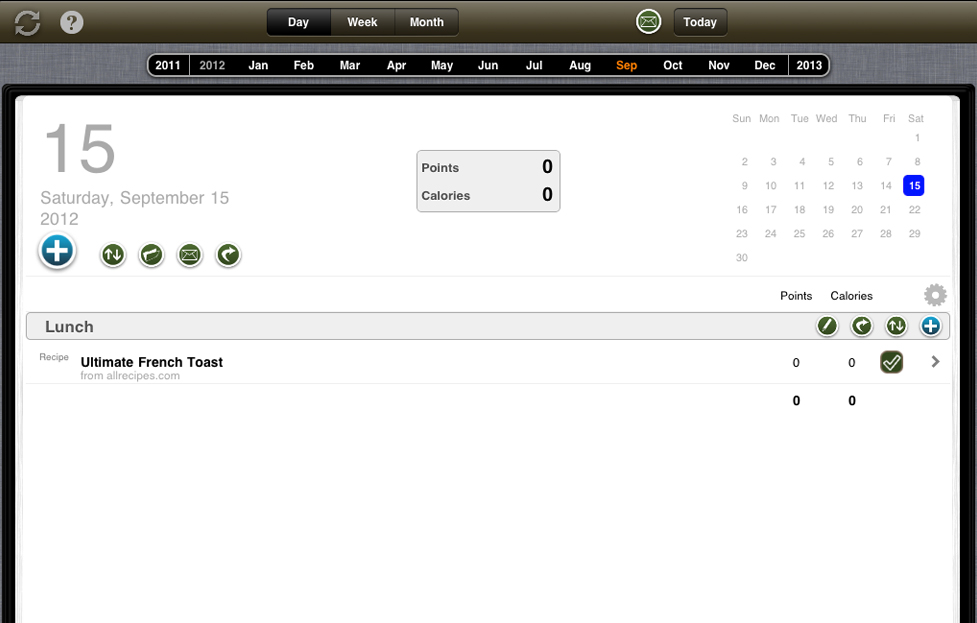
Menu Planner
|
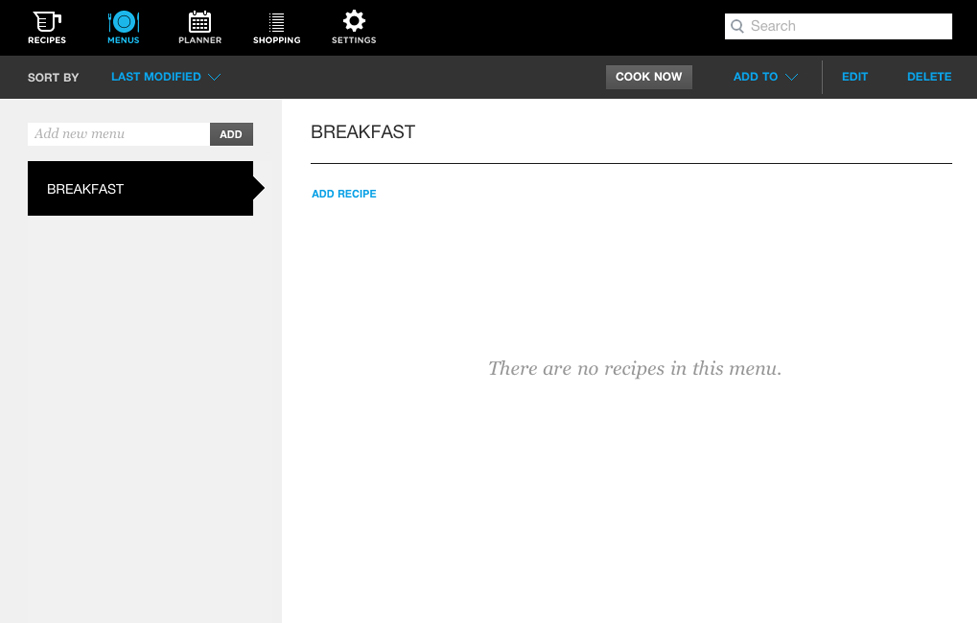
Pepperplate
|
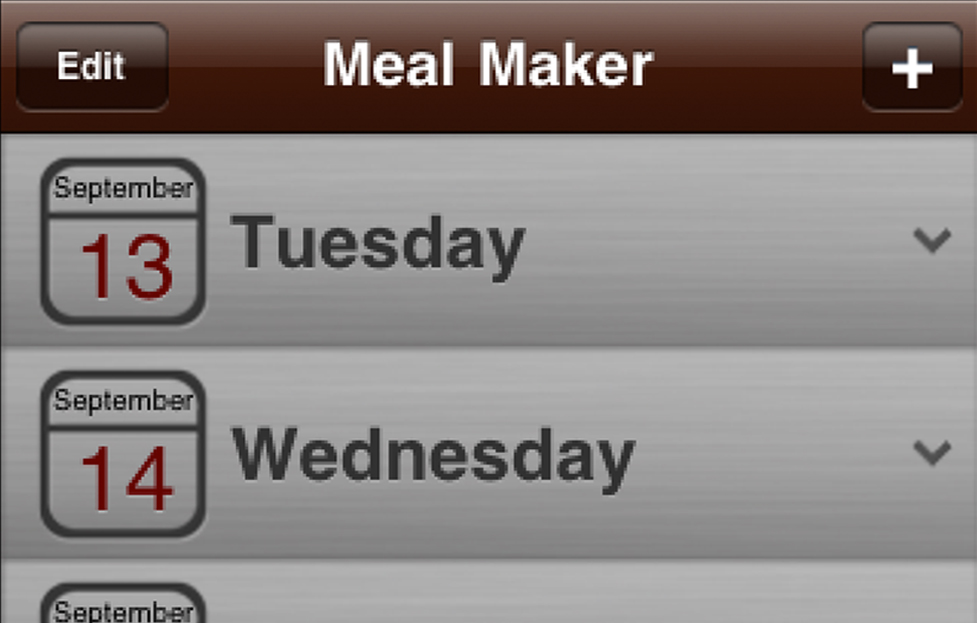
Meal Maker
|
Low Fidelity Sketches
After analyzing the problem statement and looking over existing tools and applications, I created basic sketches to include the desired functionality. The features for the suggested application was greatly simplified for novice and expert users.
The options for Pantry was not included as suggested earlier, since that would require micro-managing the food items, which could soon get very complicated for novice users.
The idea of Shopping Lists was included as a part of the settings option, where the grocery list would be suggested based on the ingredients for meals during a particular day/week/month and automatically be added to the to-do lists. The application features were categorized under three tabs, Meals, Items and Tasks.
| Meals Tab | The meals tab is designed to be used for Menu-Planning. It supports multiple viewports for day, week and month. It allows to assign the cook for the meal and the number of people eating. |
| Items Tab | The items tab provides a tabbed view for "Recipes" ex. Panini, and "Food Items" ex. Milk, Eggs. The tab allows the user to quickly save and import recipes for future reference. |
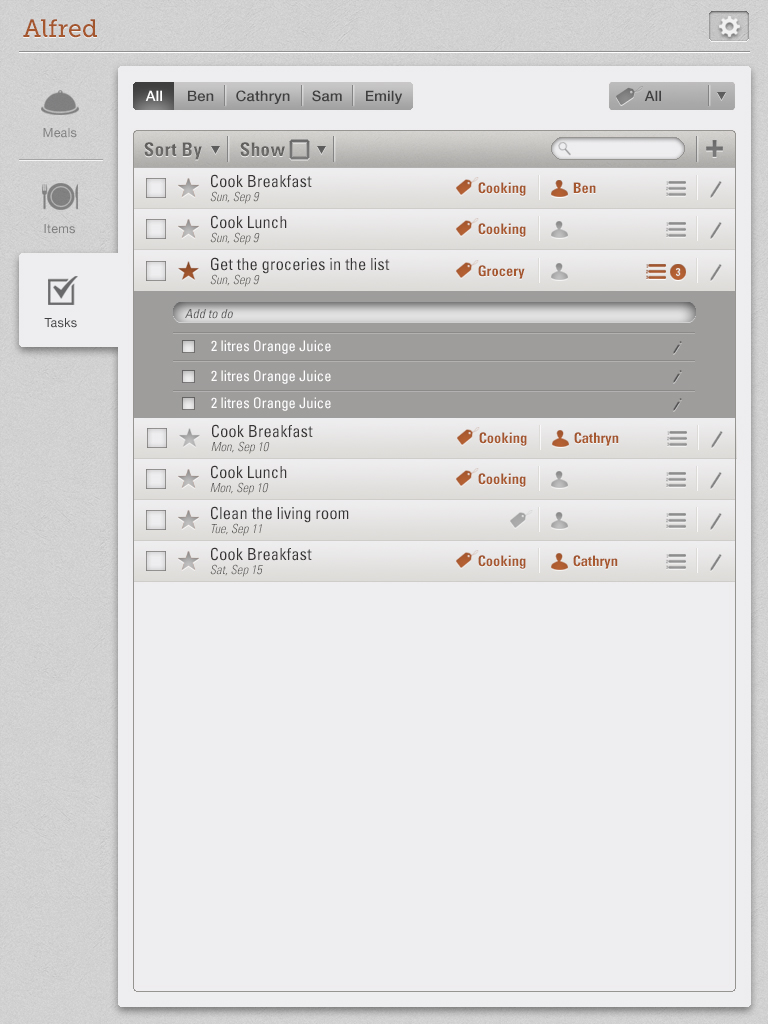
| Tasks Tab | The tasks tab is a to-do list for family members. The application is designed to support labels such as Grocery, Cleaning etc. and provides various sort and filter options. The feature also supports the idea of sub-tasks or lists that can be added to the main task. Each user can easily see his/her own assigned tasks and sign-up for incomplete tasks. |
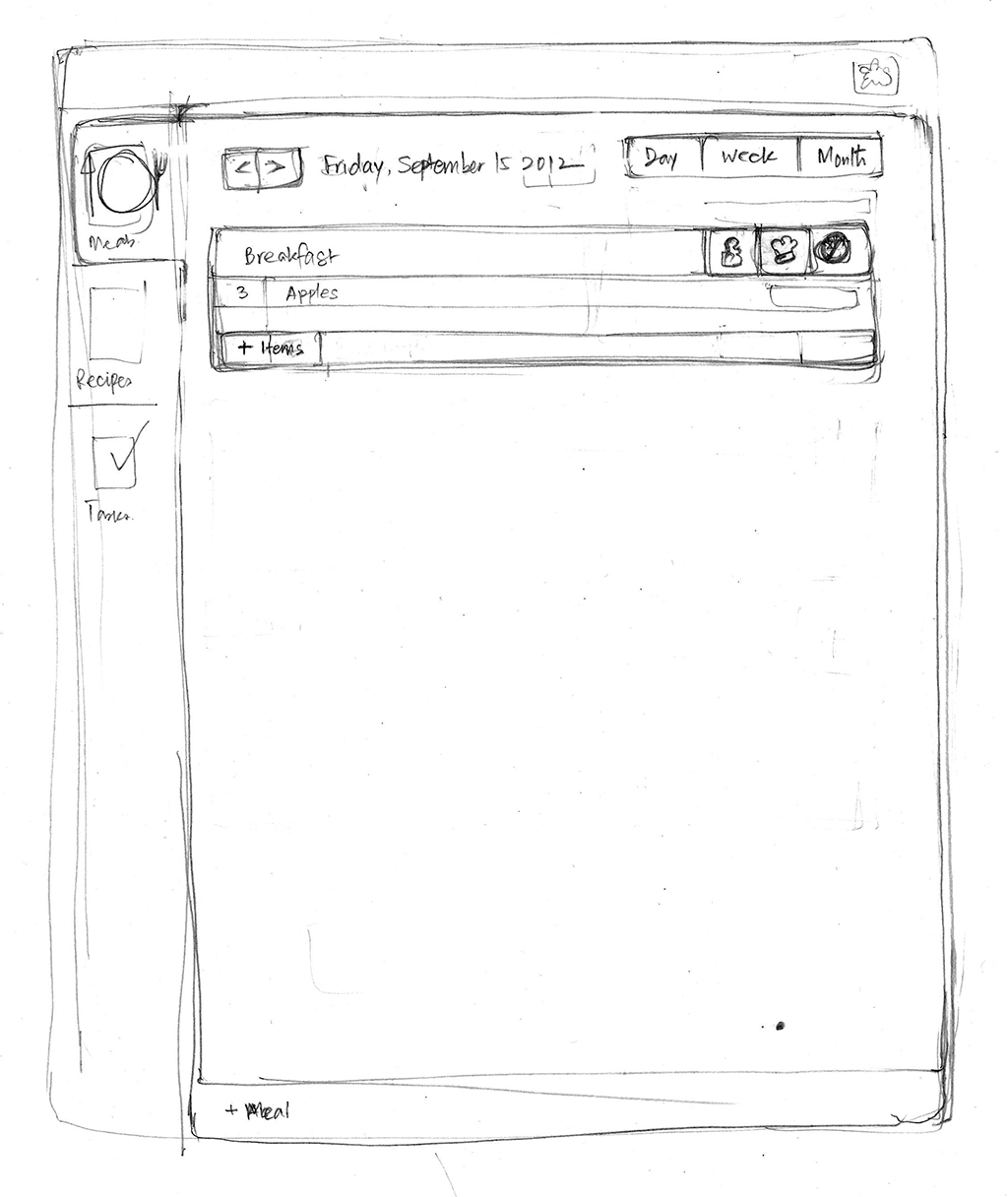 |
Meals Landing Page - Day View The landing page for Meals provides tab for day/week/month for a particular meal. The user can shuffle between days by using a swipe gesture from right-to-left or left-to-right through the center of the screen. |
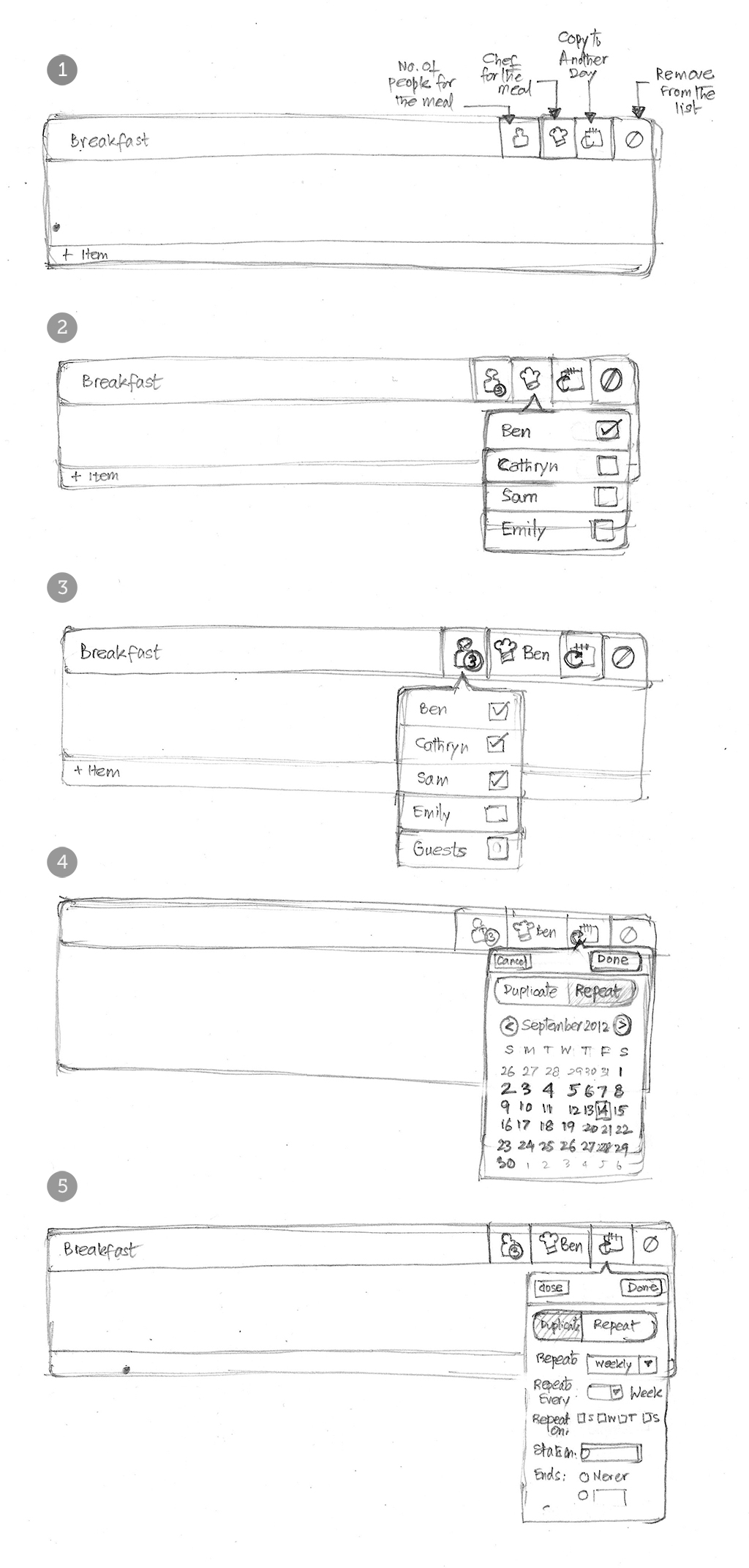 |
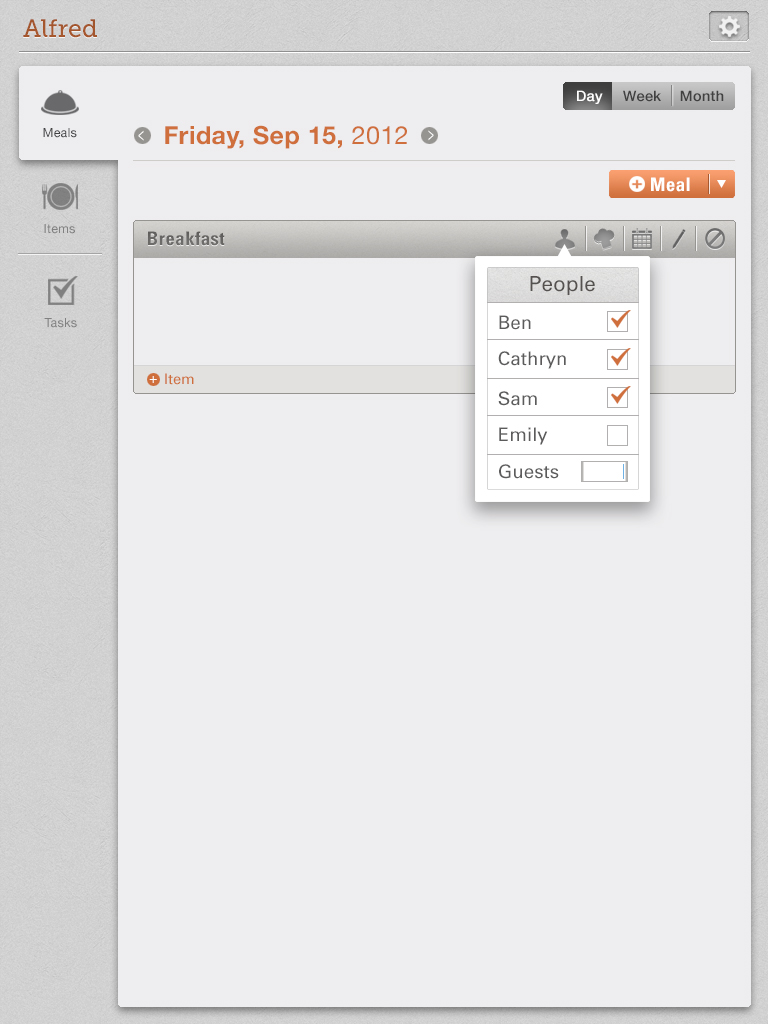
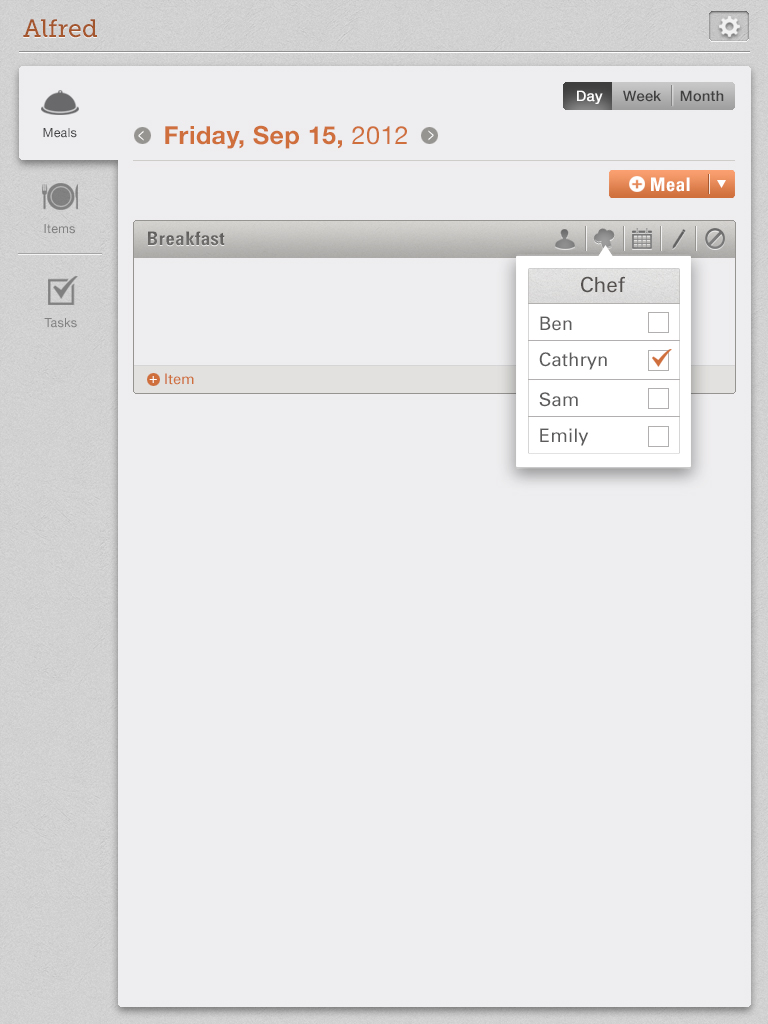
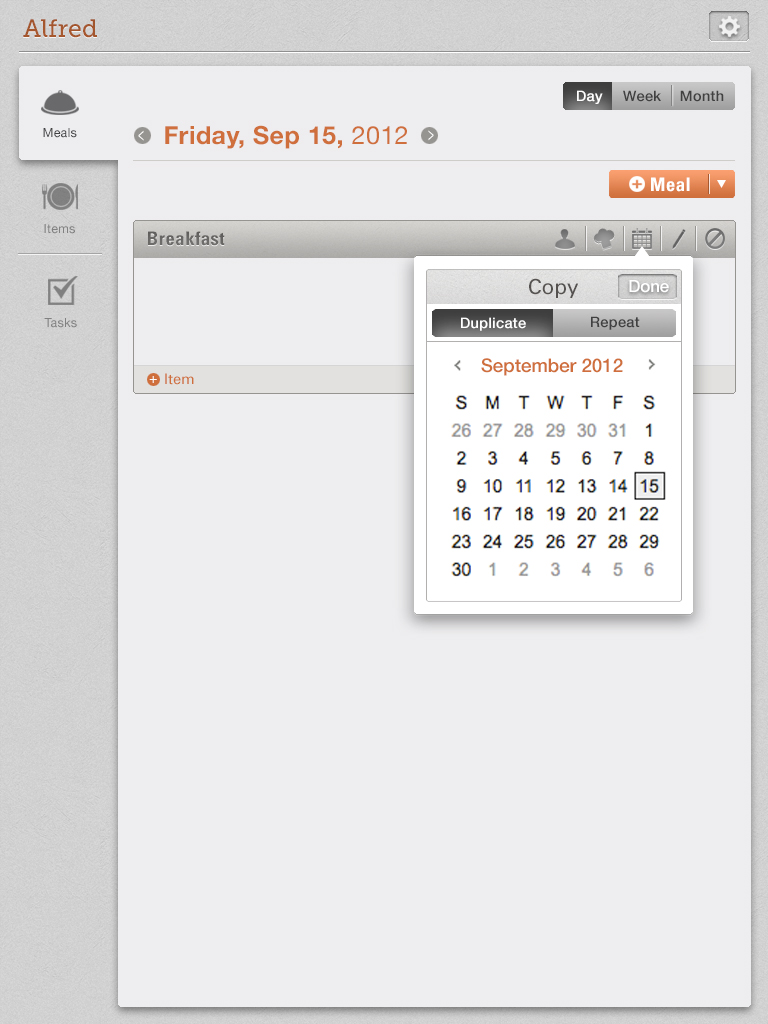
1. Individual Meals - Icon Interaction There are 4 icons designed on the pane for individual Meal for a day to provide easy access to update and insert information. The icons are Person icon, Chef icon, Copy to Calendar icon and Remove icon. 2. Chef Icon Interaction The icon provides information about if the task of cooking the meal is assigned to someone or not. A user can quickly add a chef to a meal using the popup. 3. Person Icon Interaction The icon provides information about how many people are there for the meal. If a person is not attending the meal, he/she can easily remove his name from the count. Guests can be added to the meal using the text-box on the last row of the popup. 4. Copy to Calendar Icon Interaction - Duplicate The icon provides the facility of copying a meal to other days in the week or month. This would be helpful if someone is planning to follow a regular diet. 5. Copy to Calendar Icon Interaction - Repeat The Repeat options for Copy to Calendar is very similar to Google Calendar Appointment system. |
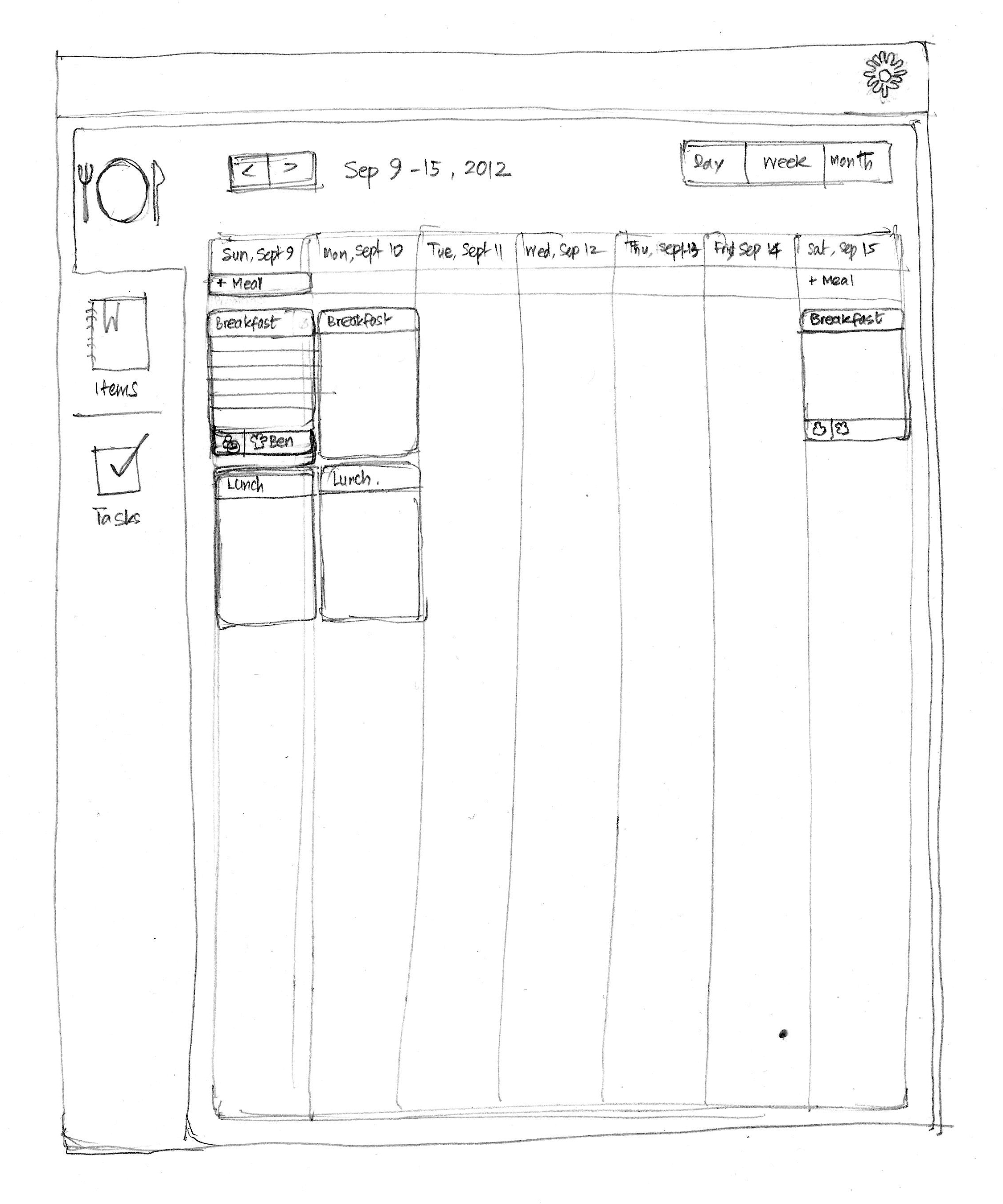 |
Meals Weekly View The weekly view provides a summary of all the meals planned for the week. User can navigate to a day by clicking on the top of the column for the weeks and additionally swipe across to change weeks. |
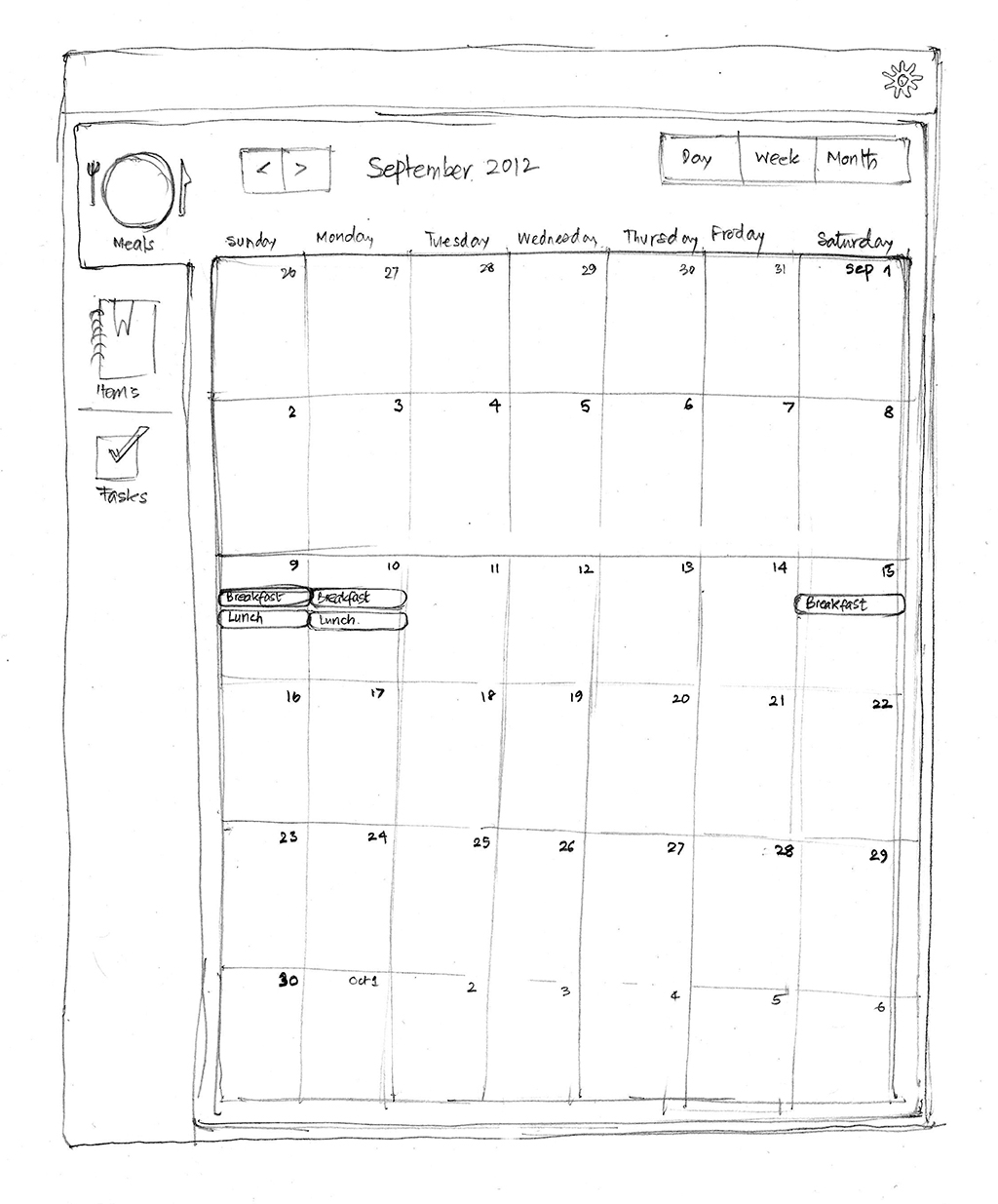 |
Meals Monthly View The monthly view provides a summary of all the meals planned for the month. User can navigate to a day by clicking on the box for the day and additionally swipe across to change months. |
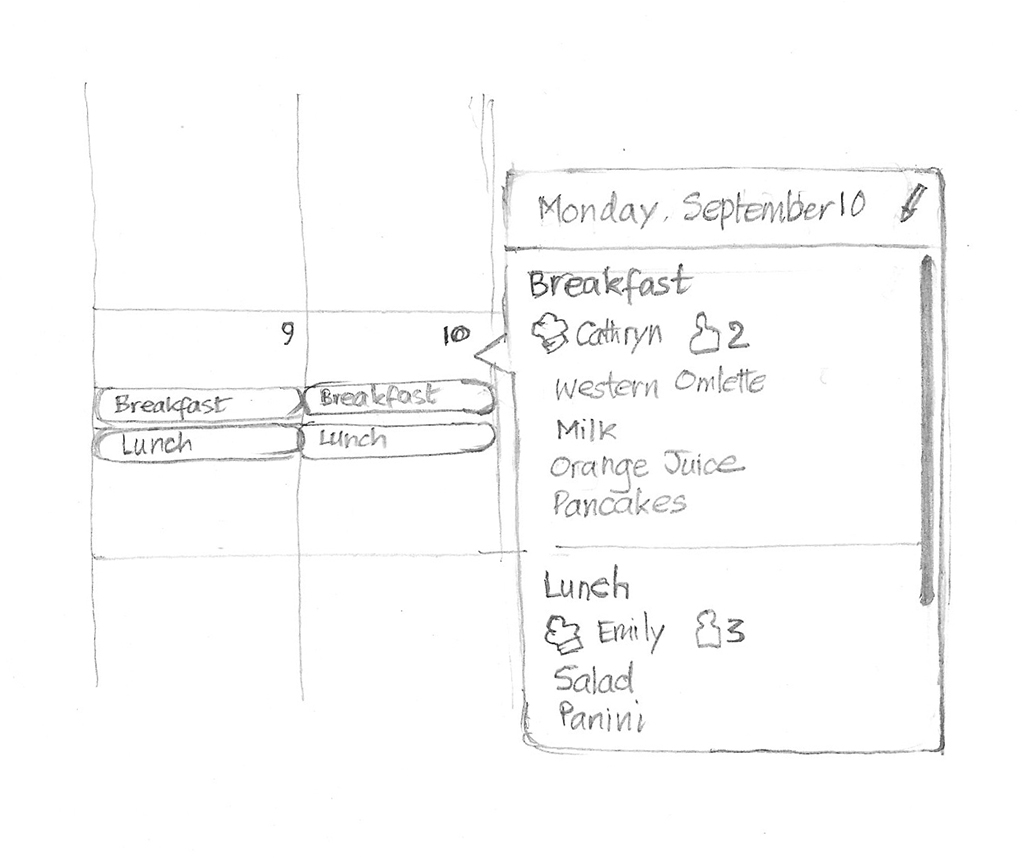 |
Monthly/Weekly View Meal Summary Popup Since the screen space for weekly/monthly view do not permit finer level of interactions, the Meal Summary popup for both weekly and monthly views presents the summary of the meals for the day. A user can then click on the edit icon to make changes. |
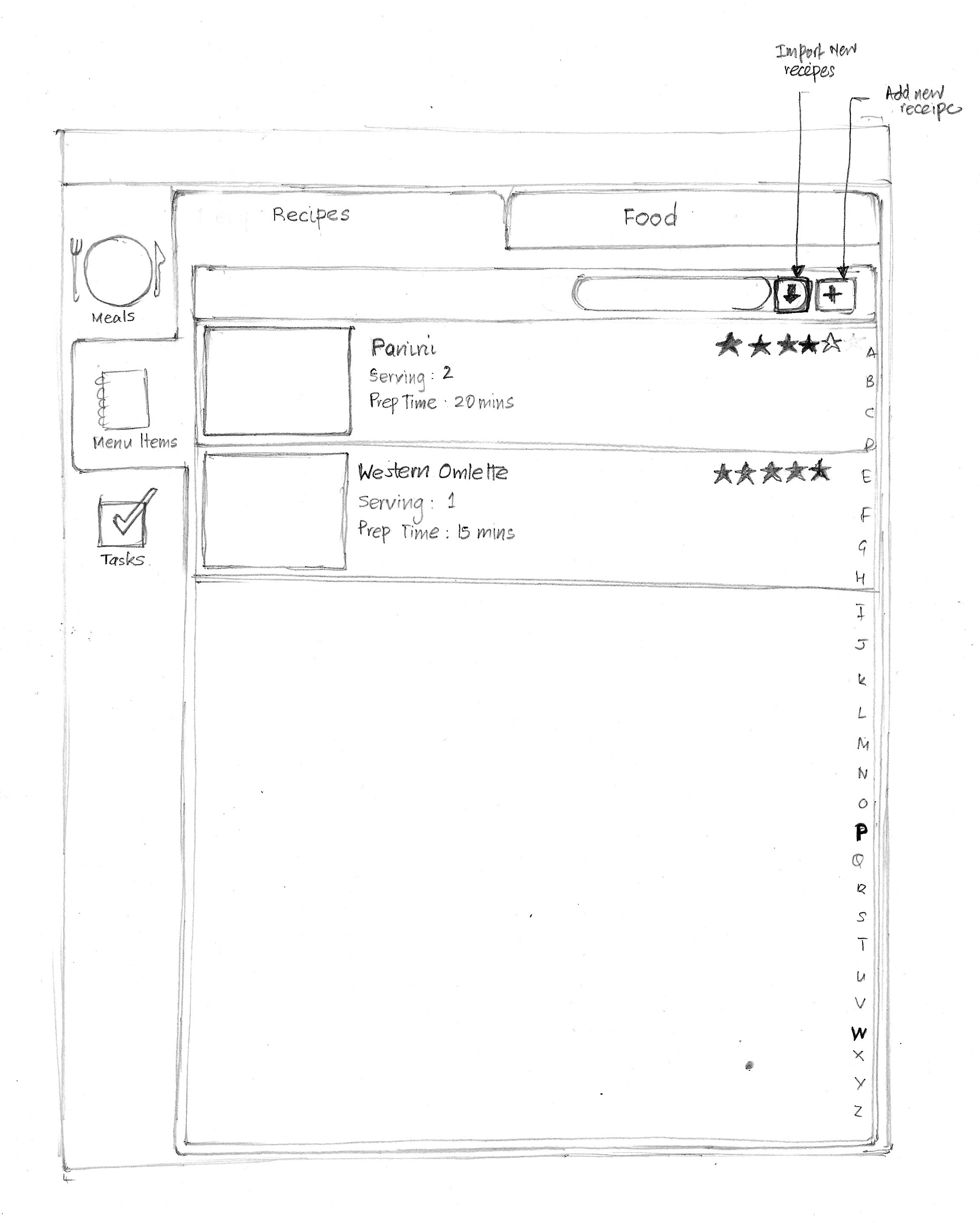 |
Items Landing View The idea of having a Item page initially started with just Recipes and was called Recipes. I then realized that food items that were not recipe were also equally important and needed to be in the inventory. |
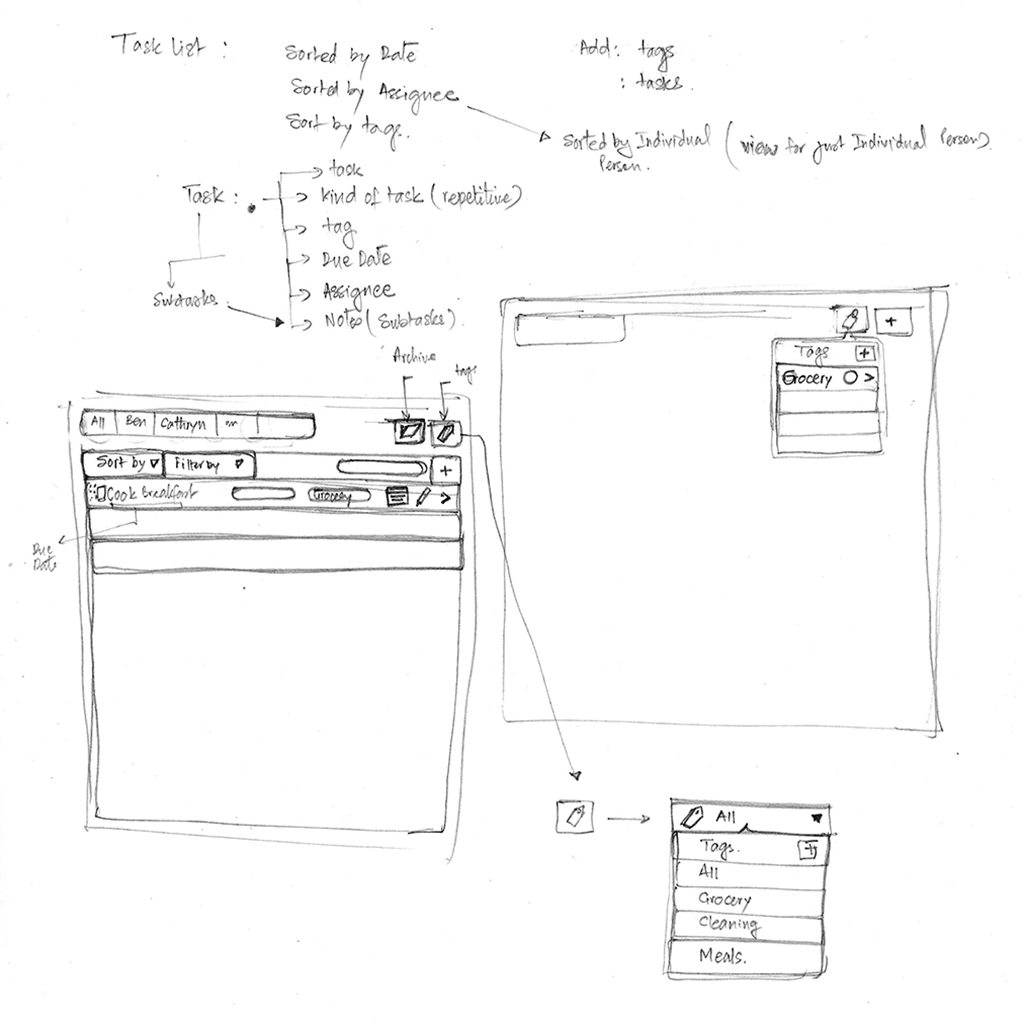 |
Tasks landing View I started out by documenting the properties on an individual task that a person might be interested in and then appropriately grouped them. |
Mid Fidelity Wireframes
After drawing basic sketches, I was able figure out the design and interaction for various features on for the application. As pointed out earlier, the features for the application are divided into 3 tabs, Meals, Items and Tasks.
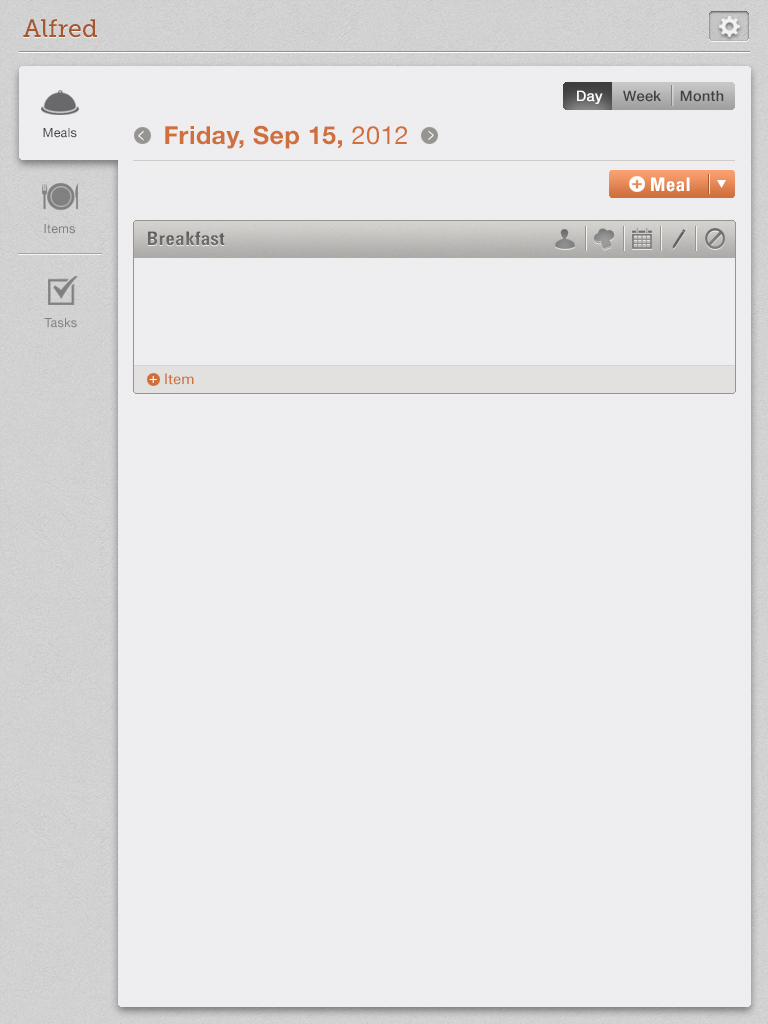 |
Meals Landing Page The landing page for Meals provides tab for day/week/month for a particular meal. The user can shuffle between days by using a swipe gesture from right-to-left or left-to-right through the center of the screen. |
|
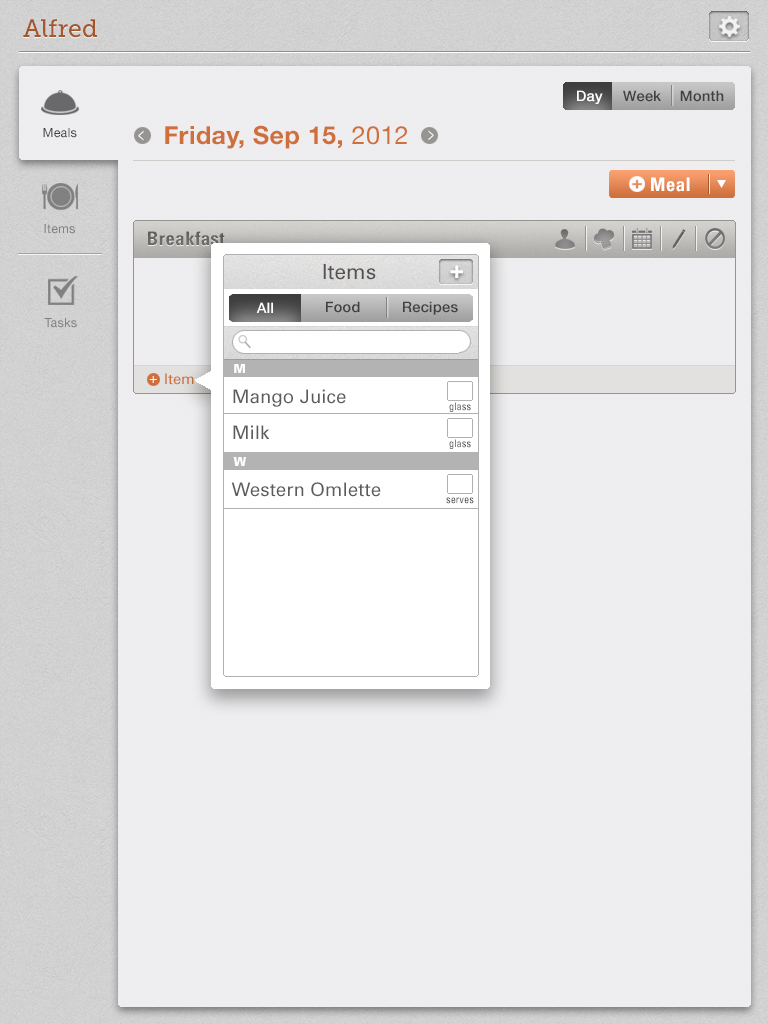
Meals - Add Item Popup The add item popup contains a split tab view to search and add Recipes and Food Items to the meal. The quantity for the meal can be adjusted through the text-box next to the item. The item can simply be added to the meal by tapping the item row. |
|
|
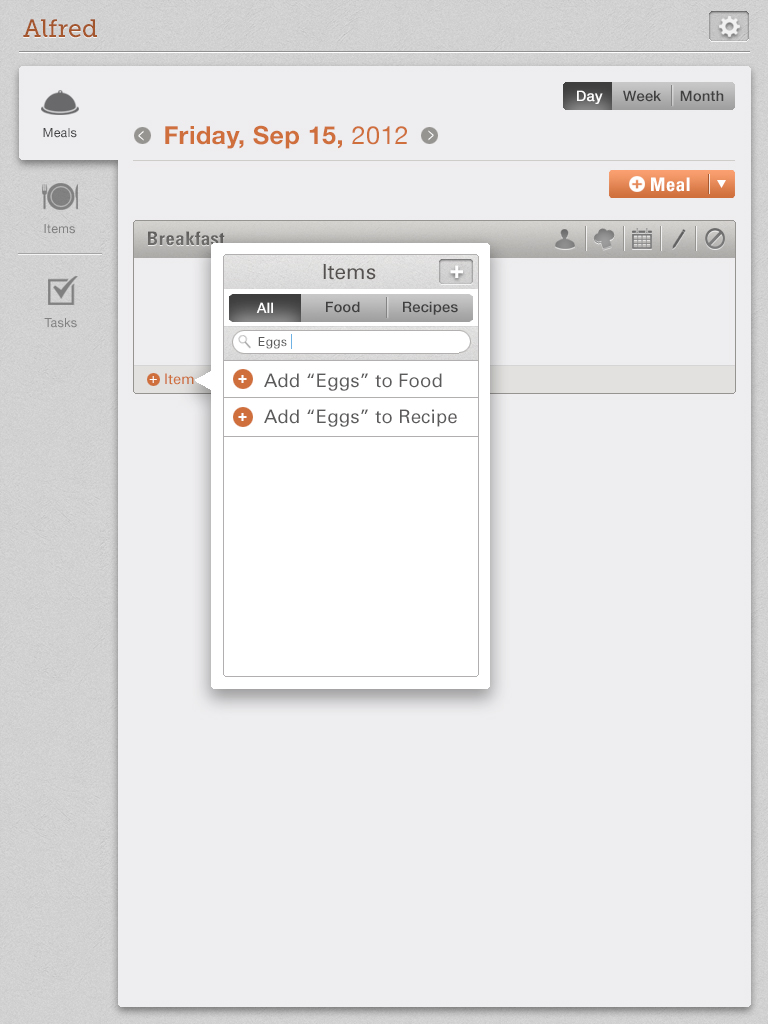
Meals - Add Item Popup (Item Not Found) A new item, Recipe or Foods can be added to the inventory of the Application if the search for a particular item is not found. This would help users to avoid repetitive steps. |
|
|
Meals - Add Person Popup Users can simply select people who are going to be eating a particular meal. If someone is not eating he can simple uncheck his/her name in the list. Guests for particular meal can be added through the text-box. |
|
|
Meals - Add Chef Popup A family member can simply decide and notify who is cooking the meal. The default chef can be added through the settings panel. |
|
|
Meals - Copy to Calendar Popup A planned meal can be copied to other dates through the "Copy to Calendar" icon. The Meal type can also be repeated to other days of the week by adding repeat options. |
|
|
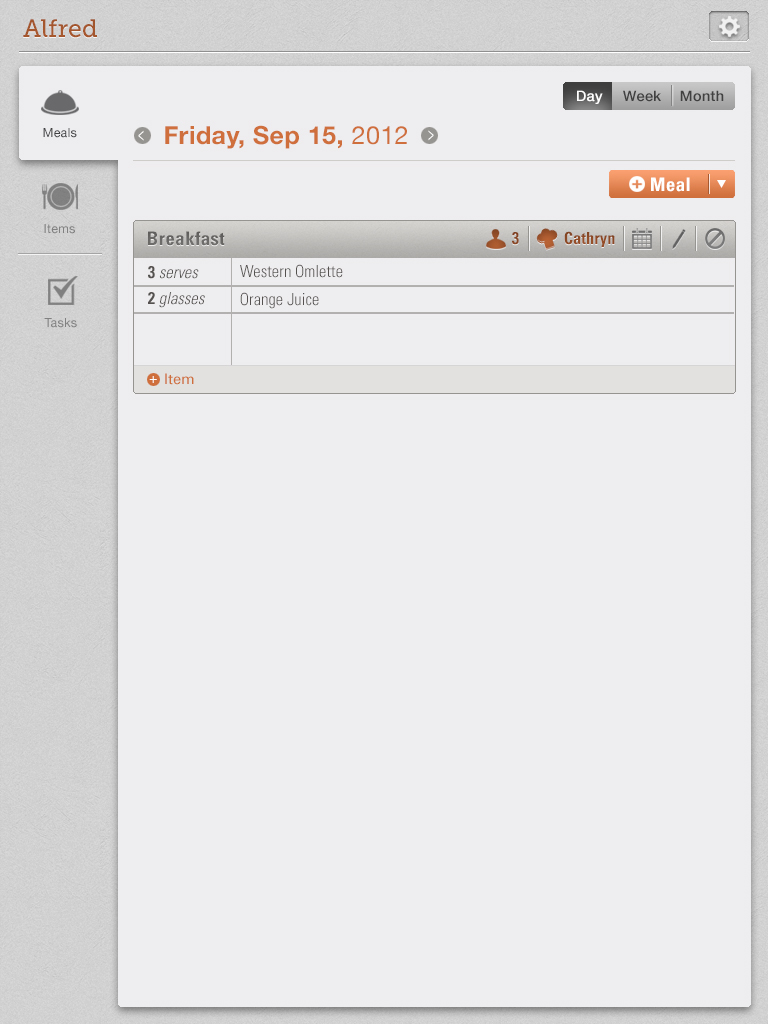
Meals - Completed View With all the options added, the completed view provides summary for the Meal and easy access to edit items. Deleting an item row can also be achieved by swiping the finger on the row. (iPad Feature) |
|
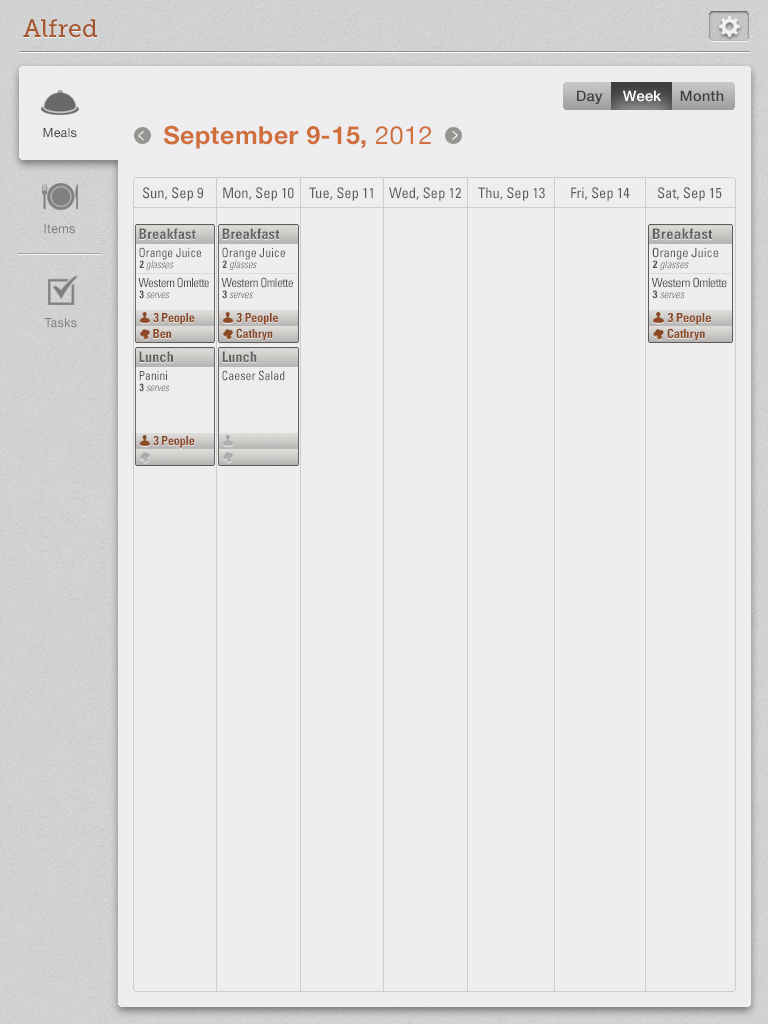 |
Meals - Weekly View The weekly view provides a summary of all the meals planned for the week. User can navigate to a day by clicking on the top of the column for the weeks and additionally swipe across to change weeks. |
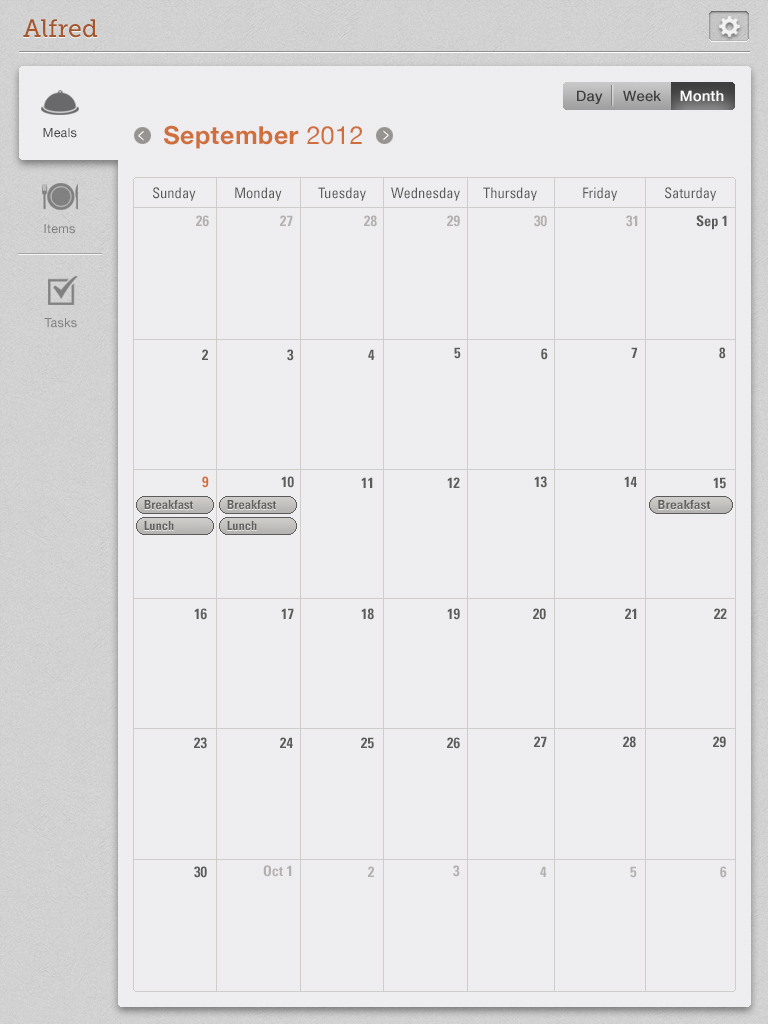 |
Meals - Montly View The monthly view provides a summary of all the meals planned for the month. User can navigate to a day by clicking on the box for the day and additionally swipe across to change months. |
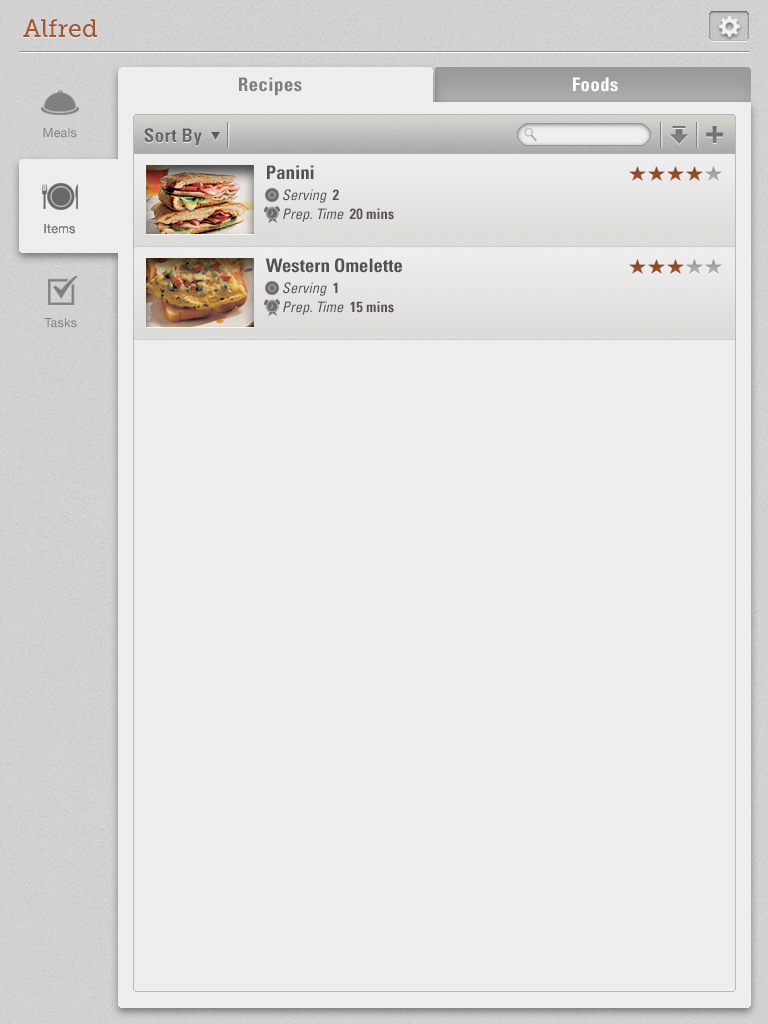 |
Items Landing Page - Recipes Tab The Recipe tab is the default view for the Items tab. |
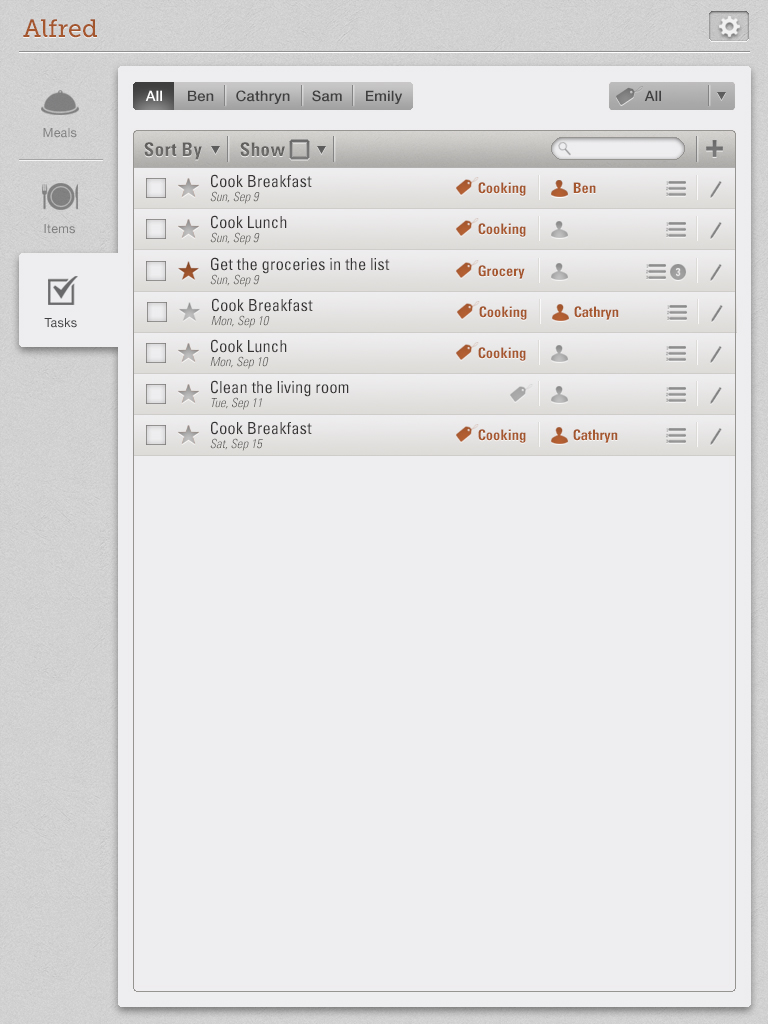 |
Tasks Landing Page The tasks landing page shows all the tasks that are added by any family member. A family member can chose to see only his/her assigned task by clicking the split button on the top left. The design assumes that there are four members, (Ben, Cathryn, Sam and Emily) in the family, which can be edited in the settings panel. |
|
Tasks - Labels Popup The users can simply see all the tasks for a particular label by clicking on the Labels Dropdown. A user can also edit/add a new label through the popup. |
|
|
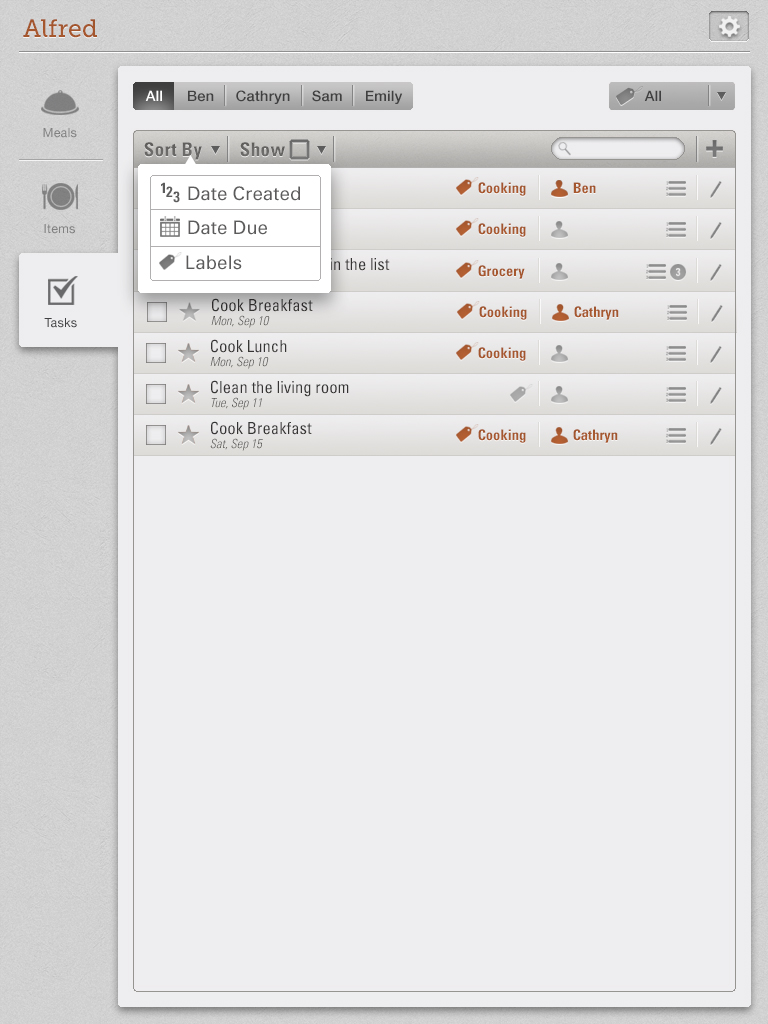
Tasks - Sort By Popup A family member can choose to sort the task by date created (default selection), date due and Labels. |
|
|
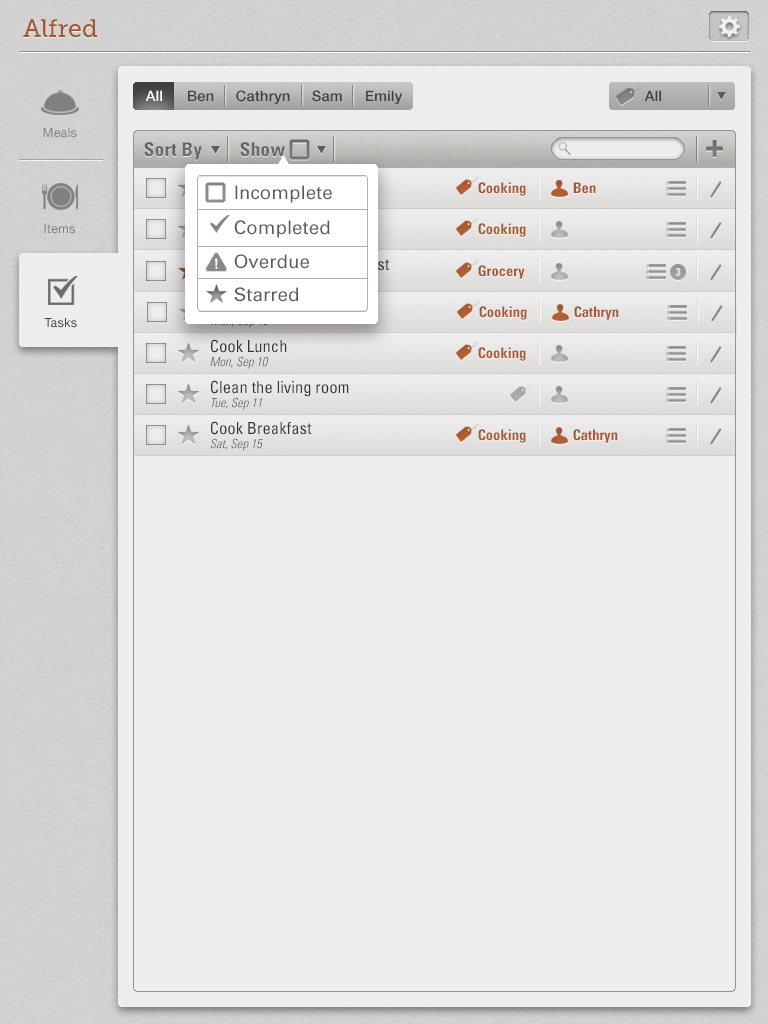
Tasks - Show/Filter By Popup A family member can choose to see the tasks the are incomplete (default selection), completed, starred or overdue. |
|
|
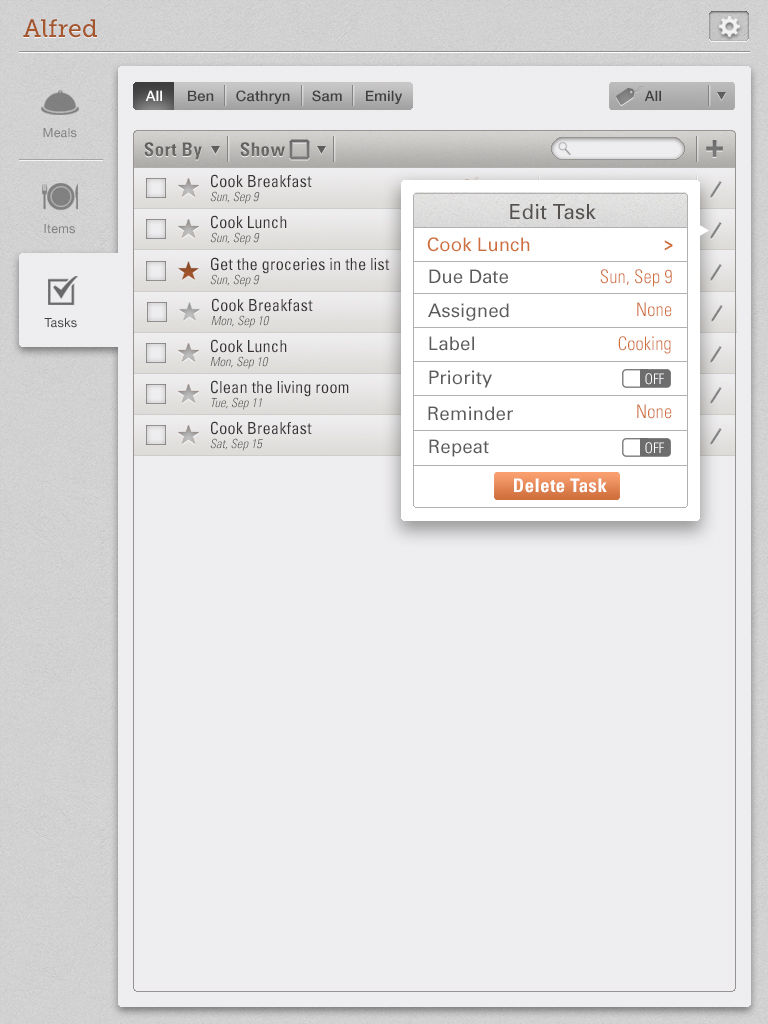
Tasks - Edit Task Popup A task can be edited by tapping the edit icon. The popup shows all the options for adding a reminder, repeat occurrences. |
|
|
Tasks - Sub-task/List View A sub-task can be added to a task by clicking list icon on a particular task. The view for sub-task/list expands to show a text-box to add a new sub-task. |
High Fidelity Prototype
After creating the wireframes I started with the prototype. The High Fidelity Prototype can be seen here.
The prototype shows the interactions for the task tab. The prototype was created using HTML, CSS, Javacript, Jquery, PHP and mySQL. I tested the prototype on Firefox 15.0.1 (mac), Chrome 21.0 and Safari 6.0. The prototype uses some HTML5 and CSS3 elements that might not be supported in older browsers.
Current Functionality
- + Adding a New Task
- + Adding a New Sub Task
- + Checking the tasks/sub-tasks
- + Adding priority to tasks
- - Sort by, Show, Labels, Edit popup
- - Deleting a task/sub-task
- - Filtering tasks for a particular user
Presentation Slides